


How AutoDS is rated, with the numbers behind the score
Shopify and Wix users rate their own app experiences. The scores should not be read as a rating of every supplier or product AutoDS supports. Percentages are shown as reported by the platform and may not add to 100% because of rounding.
The useful part is reducing repeated store work
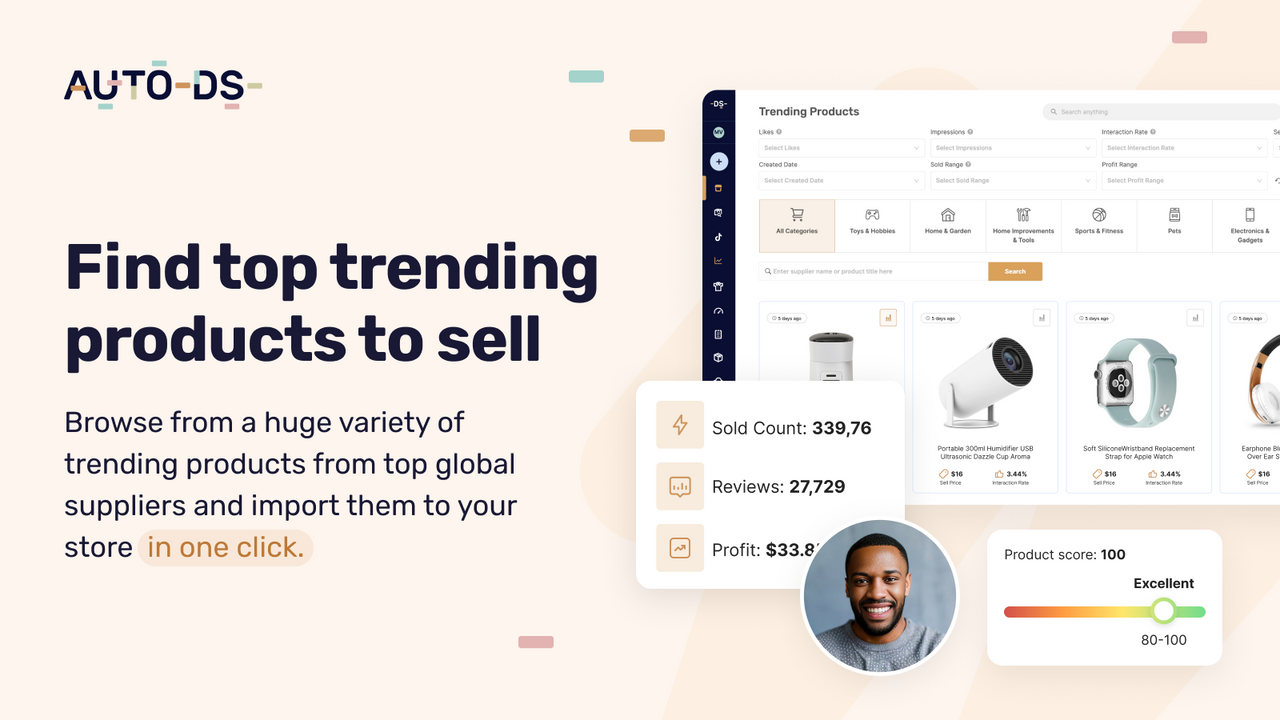
AutoDS lists importing, product updates, stock and price monitoring, sourcing, and order management among its tools. Its supplier network and supported automation routes vary, so check the source you intend to use before choosing a plan. See AutoDS supplier information.
For a general store, those tasks can absorb time as the catalog grows. Start with the work you currently do manually. A tool is easier to judge when you can name the hours or mistakes it is meant to remove.
Start with the manual work you want AutoDS to remove
AutoDS is easiest to evaluate when you already know which task is taking too much time. Importing products, watching supplier prices, and placing orders are different jobs. Write down the current process for each one, then check the plan and supplier route that would replace it. A broad automation menu is less useful than a reliable handoff for the work your store actually does.
- Map one supplier product
Choose a real product with variants and a supplier you intend to use. Check the connection, imported images, price rules, stock settings, and shipping options. The sample should exercise the same route your customer orders will use.
- Run an order with the required payment setup
Find out how supplier purchases are funded and which balances or authorizations the process needs. A paid storefront order does not always mean the supplier has already been paid. Keep those two steps clear in your process.
- Test an exception as well as a normal sale
Ask what happens when an item becomes unavailable, a price changes, or an address needs correcting. The value of automation includes how quickly your team can notice and fix the orders that do not complete normally.
Where to look beyond the automation promise
An automated order can still need manual attention
An October 14 Shopify review from dexobi described repeated automatic-order errors and delays getting help. AutoDS replied with a route for further assistance. The report does not establish a failure rate, but it gives a concrete test case for anyone buying the app mainly for automatic ordering.
"EVERY TIME I get an error."
dexobi, Shopify, October 14, 2026
Check how errors are displayed, whether someone receives an alert, and which actions release an order. Keep enough visibility into the process that an unresolved supplier payment cannot sit unnoticed while the customer waits.
The product limit does not describe every feature you need
The entry plan and larger plans have different allowances and features. A higher product count alone does not tell you whether your supplier, ordering method, and desired updates are supported. Compare the feature list for the storefront platform you actually use.
Build a short requirements list before comparing plans. Include importing, stock changes, price changes, ordering, tracking, and the cancellation flow. Mark which jobs must be automatic and which your team can comfortably handle.
Where AutoDS can earn its subscription
Several operational jobs live together
A growing general store may benefit from keeping importing, supplier information, and order work in one interface. That can reduce repeated copying and give the operator a clearer view of the catalog. Measure the benefit against the tasks it replaces.
Support helps people work through setup
The selected Shopify and Wix feedback includes praise for tutorials and assistance. VELOX described appreciating the sourcing service and help with order issues. That support can be valuable during setup, especially when several systems need to agree on the same product.
"which makes managing my store more convenient"
VELOX, Shopify, October 10, 2026
AutoDS pricing: the plan fee is only part of the bill
AutoDS's Shopify listing shows Import 200 at $26.90/month, Starter 500 at $39.90/month, and Advanced 1K at $66.90/month, with separate annual prices. The listing also describes an optional product-selection charge. Wix plans have their own terms. Read the features for your platform rather than assuming the cheapest plan includes every automation. Check Shopify plan details.
Allow for product payments, shipping, and any services you enable. A larger product limit is only valuable if you need that many products and can keep their content, customer questions, and returns under control.
| Plan | Listed price | What that buys |
|---|---|---|
| Import 200 | $26.90/month | Check importing features and supported suppliers. |
| Starter 500 | $39.90/month | Compare the additional features as well as the limit. |
| Advanced 1K | $66.90/month | For the listed larger catalog allowance. |
USD. AutoDS plan source | Dripshipper pricing. Products, delivery, and store costs are separate. Plan features depend on billing route and the current offer.
Put a value on the work the Starter plan removes
These figures divide the $39.9 monthly plan fee by order count. They exclude products, shipping, advertising, returns, and payment fees.
At twenty monthly orders, a $39.90 subscription adds almost $2 per order. At one hundred, it adds about $0.40. If the app saves several hours of repetitive work, that cost may make sense. If you have only a few products and little order volume, test whether you need the same level of automation yet.
Keep supplier purchases, delivery, and optional services outside the base-plan calculation. A headline price can look attractive while the workflow you want requires another feature or charge. Compare the actual configuration with the process you would otherwise run manually.

Software access does not answer the coffee questions
When starting a coffee store, ask who roasts it, when it is prepared, what label the customer sees, and which grinds and sizes are available. Those answers come from the particular supplier, even when software handles the order.
Dripshipper brings a coffee-and-tea catalog and branded fulfillment into one service. Compare that with the supplier and AutoDS workflow you would otherwise assemble. If you already have a general store, AutoDS may solve a broader set of operational needs. Explore Dripshipper's catalog.
An automation app can make a broad catalog easier to operate. It does not decide which coffee tastes right for your customers, whether a label is readable, or what a supplier will do when a blend changes. Those questions still belong in the supplier evaluation.
Dripshipper combines a selected coffee and tea catalog with branded fulfillment. That may be a shorter path for a coffee brand. AutoDS may make more sense when you need to coordinate several categories and suppliers. Compare the complete arrangement, not only the software subscription.
AutoDS vs Dripshipper: compare the business you would actually run
| What matters | AutoDS | Dripshipper |
|---|---|---|
| Core job | Automating a catalog across supported suppliers | Supplying and fulfilling branded coffee and tea |
| Product selection | Depends on the suppliers you use | A focused coffee-and-tea catalog |
| Shopify paid entry | Import 200 listed at $26.90/month | Starter listed at $30/month |
| What to verify | Automation coverage, add-ons, and supplier quality | Coffee samples, label options, and order cost |
| Main job | Manage a supplier and product workflow | Supply branded coffee and tea |
| Product selection | You select the supplier route and products | You choose from the coffee and tea catalog |
| What to test | Automation, funding, and supplier exceptions | Coffee, label, order, and delivery experience |
This is a comparison of scope and workflow, not a claim that the products or services are interchangeable. AutoDS product information | Dripshipper service details.
Test the workflow before importing the whole catalog
- Verify the funding and payment handoff
Document how the customer payment, AutoDS workflow, and supplier purchase relate. Make sure the person operating the store knows what a failed payment looks like and how to resolve it.
- Check stock and price rules
Use a product whose price or availability can change. Confirm the settings you need and decide whether a sudden supplier-price increase should pause the listing or change the selling price.
- Keep an exception queue
Decide who checks incomplete orders and how often. Automation is easier to trust when the operator can see which orders need a decision and which have actually reached fulfillment.
Our verdict: who should choose AutoDS?
AutoDS makes sense when manual catalog work is the problem you need to solve. Dripshipper makes sense when your product plan is coffee. Compare a complete working setup on each side, including the supplier, instead of comparing app fees alone.
AutoDS is a practical candidate when catalog maintenance and order work are already a burden. For a focused coffee launch, begin with the supplier and product instead. A tool should fit the operating problem you have, rather than persuade you to build a larger, harder-to-manage catalog just to use its features.
Questions people ask about AutoDS
Does AutoDS manufacture all the products it supports?
AutoDS works with a supplier network and different sourcing routes. Verify the actual supplier and fulfillment arrangement for each product.
Are AutoDS plans the same on Wix and Shopify?
Do not assume that. Platform listings show their own plans and billing terms. Check the listing used for your subscription.
Can AutoDS replace a coffee supplier?
It can help automate supported workflows, but you still need the actual coffee product and supplier. Check those details separately.
Does AutoDS supply every product itself?
The app works with different supplier and sourcing routes. Verify who fulfills the particular product and which functions your chosen route supports.
Which AutoDS plan should a small store choose?
Start with the required functions and your real catalog size. Compare the lowest plan that covers those needs, including optional services and supplier costs.
Can automation remove every order problem?
No. Supplier stock, payment, address, and shipping exceptions can still occur. Test how they are surfaced and who resolves them before relying on automatic ordering.
Sources and how we put this review together
Dripshipper publishes this review. We checked the sources on October 19, 2026 and selected reviews that illustrate both useful features and practical problems. We have not tested these suppliers side by side. Quotes are short excerpts; use the links to read the original accounts and company replies.