Buyer’s guide
Best coffee dropshipping suppliers for WooCommerce stores (2026)
You already have a WooCommerce store. Start with coffee suppliers that say they work with it. Then test them with your payment methods, plugins and shipping settings before taking orders.
Disclosure: This is a Dripshipper guide. We used supplier information and have not tested the services side by side.
The short answer
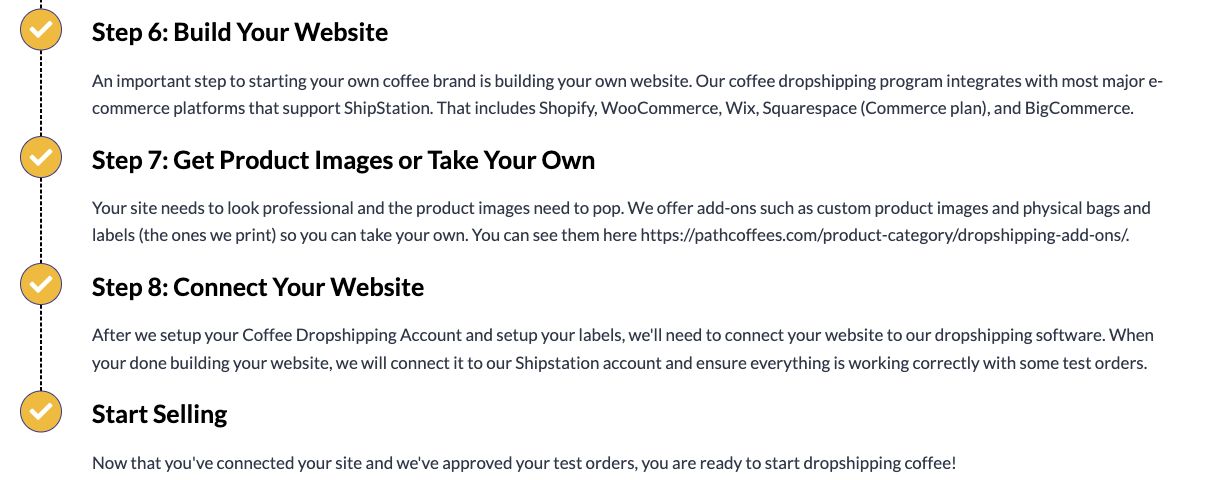
Dripshipper and Path both list WooCommerce support. Path connects through ShipStation. Compare the two and test them with the plugins and settings your store uses.
| Supplier | Best for | Plan and setup fees | Store connection or service |
|---|---|---|---|
| Dripshipper | Best for trying Dripshipper with WooCommerce | From $30/month; coffee and other products cost extra [source] | Shopify, WooCommerce, Wix, Squarespace, BigCommerce [source] |
| Path Coffee Roasters | Best for help with a ShipStation connection | $350 or $400 setup; no monthly program fee [source] | Connects supported stores through ShipStation [source] |
Prices in USD, checked October 2, 2026. Add coffee, shipping, labels, store costs and any extras. Compare the total for the orders you expect to sell.
The shortlist
01Dripshipper
Best for trying Dripshipper with WooCommerce
We list WooCommerce support for selling coffee with your label. Test your coffee options, shipping settings and payment method. Check when the order reaches us and how tracking gets back to your store. [source]
02Path Coffee Roasters
Best for help with a ShipStation connection
Path lists WooCommerce support through ShipStation. Ask its team to walk you through the setup and explain when orders are sent. Include the setup fee in your budget. [source]
Check how your store handles orders
- When an order goes to the supplierCheck which WooCommerce order status sends it. Make sure unpaid orders do not ship.
- What customers see at checkoutCheck shipping prices and delivery details for coffee alone and coffee bought with other items.
- Your pluginsTest the bundles, subscriptions and checkout changes you plan to use.
- Orders that do not reach the supplierDecide how you will spot a missing order and who you will contact. Do not wait for the customer to ask.
Plan for address changes and cancellations
A customer pays, then asks you to correct the address. Does changing it in WooCommerce also change it with the supplier? Or do you need to contact the supplier yourself? Try an address change and a cancellation before you launch. Write down the steps.
Connect your store and test it
- Check that the supplier works with your store setup.
- Connect each coffee, size and grind to the right product, then place a paid test order.
- Test tracking, address changes, cancellations and failed payments.
- Check that your first customer orders appear in the supplier’s records.
Frequently asked questions
Why are only two suppliers listed?
These two clearly list WooCommerce support in the pages we checked. We have not confirmed the same for every other supplier.
Could I build a connection to another supplier?
Possibly. Ask what is available and what a developer would charge to build and maintain it. Do not assume it is ready to use.
About this comparison
We used supplier websites and information from Dripshipper, checked October 2, 2026. These are our picks for different needs, not a ranking by company size. We have not tested taste, delivery or customer service side by side. Check prices and important details with the supplier before you sign up.
Sources reviewed
- Dripshipper: products, platforms and order minimums
- Dripshipper pricing
- Path: dropshipping, setup fees and store connections (https://pathcoffees.com/dropshipping-coffee/)